
SEO involves much more than adding a keyword to a page.
Website owners need to write useful content, create descriptive search titles, optimize images, improve internal links, review technical issues, and keep hundreds—or even thousands—of pages updated.
Doing all of this manually can become difficult, particularly for growing blogs, business websites, and WooCommerce stores.
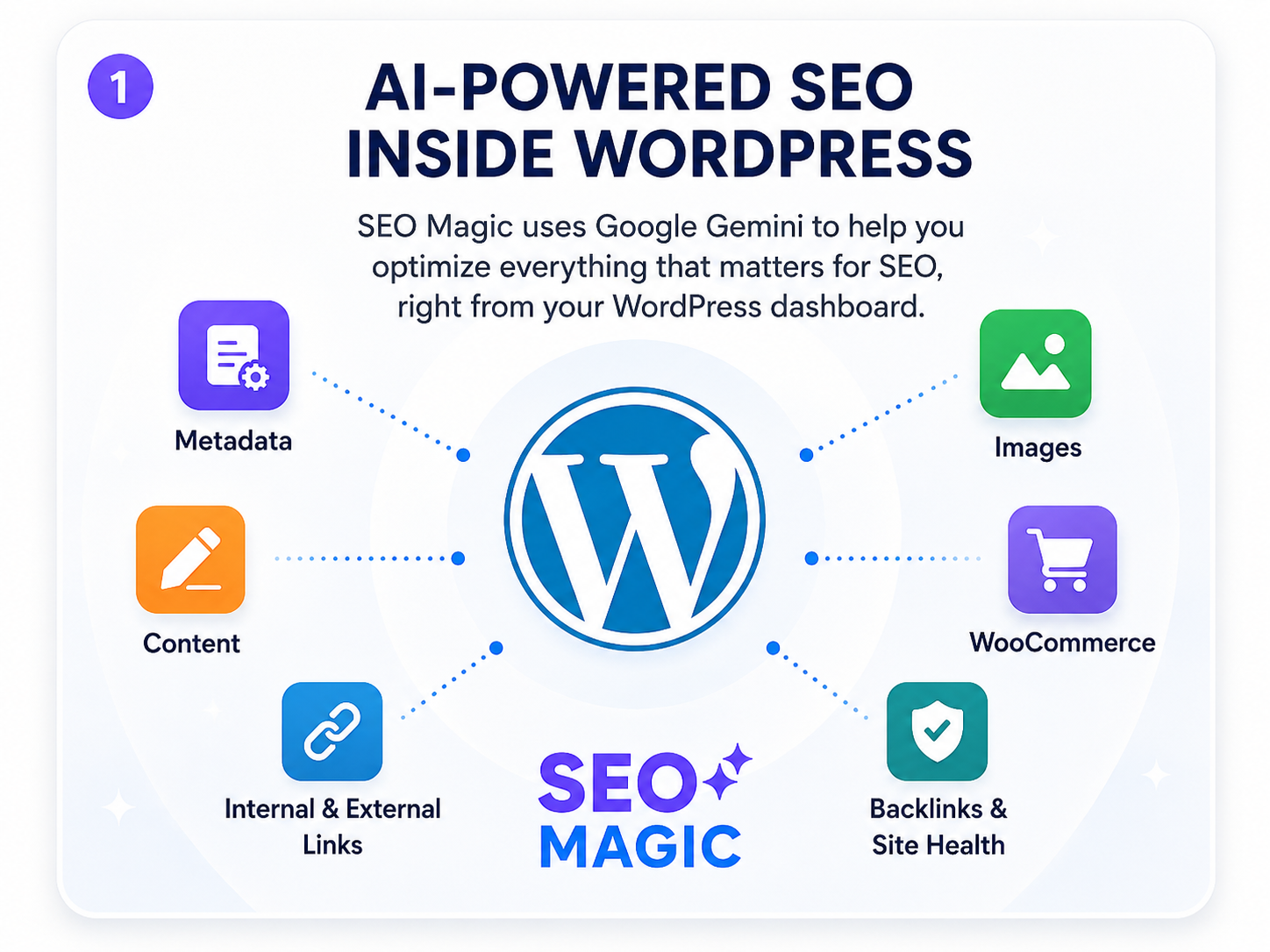
SEO Magic is an AI-powered SEO assistant designed to bring these workflows directly into the WordPress dashboard. It uses Google Gemini to help website owners generate, review, edit, and manage SEO content without constantly switching between different tools.
In this guide, you will learn what SEO Magic is, how it works, what you can optimize with it, and how its Free and PRO versions fit into a practical WordPress SEO strategy.

What Is SEO Magic?
SEO Magic is an AI-assisted WordPress plugin that helps website owners optimize content, metadata, media, products, links, and technical SEO information.
Instead of working as a completely separate SEO platform, it operates inside WordPress and analyzes the content that is already available on your website.
SEO Magic can work with:
- Blog posts
- Pages
- WooCommerce products
- Images and media attachments
- Categories and taxonomies
- Author archives
- Custom post types
- Social metadata
The plugin uses your own Google Gemini API key to generate suggestions. You remain in control of the final content: suggestions can be reviewed, edited, regenerated, or rejected before they are saved.
SEO Magic also supports metadata managed by popular WordPress SEO plugins, including Yoast SEO, Rank Math, and All in One SEO.
What Does SEO Mean?
SEO stands for search engine optimization.
It is the process of helping search engines understand your content while making it easier for people to find and evaluate your website through search results.
Google explains that SEO helps search engines understand content and helps users decide whether they should visit a website from a search result. However, no plugin, optimization technique, or individual change can guarantee that a page will be indexed or achieve a particular ranking.
A complete SEO process normally includes:
- Content optimization
- SEO titles and meta descriptions
- Image optimization
- Internal linking
- Website structure
- Technical performance
- Structured data
- Backlink analysis
- User experience
SEO Magic helps manage several of these areas from one WordPress interface.
Why Use an AI SEO Assistant in WordPress?
Traditional SEO work often requires repetitive tasks.
For every article or product, a website owner may need to create:
- A page title
- An SEO title
- A meta description
- An Open Graph title
- An Open Graph description
- An X or Twitter title
- An X or Twitter description
- Image alt text
- Image captions
- Image descriptions
- Internal links
One page may be manageable. Hundreds of pages can become a significant workload.
An AI SEO assistant can analyze the existing context of a post, page, image, or product and generate a useful starting point. The website owner can then review and refine that result.
The objective is not to remove human judgment. It is to reduce repetitive work and make important SEO fields easier to find, complete, and maintain.
How SEO Magic Works

SEO Magic follows a context-based workflow.
1. It reads the available WordPress context
Depending on the task, SEO Magic can use information such as:
- The page or post content
- The current title and excerpt
- Categories and tags
- Existing SEO metadata
- The website’s primary topic
- The configured generation language
- WooCommerce product information
- Product categories and attributes
- Existing image information
2. It sends the relevant context to the selected AI model
SEO Magic uses Google Gemini for AI-assisted generation.
The website owner provides the Gemini API key and can configure the generation language, default model, content types, and other available settings.
3. It generates a contextual suggestion
Instead of generating disconnected generic copy, the assistant uses the available WordPress content as the foundation for its response.
Depending on the selected tool, it may suggest:
- A concise SEO title
- A descriptive meta description
- Improved article structure
- Better headings
- Image alt text
- Product descriptions
- Relevant internal links
- Social media metadata
4. The website owner reviews the result
Generated content remains editable.
Manual workflows allow the user to inspect and change suggestions before saving them. Automated workflows only run when they have been enabled and configured.
This human-review model is important because AI-generated content can still contain inaccuracies, unsuitable wording, or information that does not match a brand’s voice.
What Can You Optimize with SEO Magic?
SEO Magic includes several specialized areas rather than treating every SEO task as the same type of content generation.

1. SEO Titles and Meta Descriptions
The Metadata SEO screen provides a centralized table for managing search and social metadata.
It can be used to review and generate:
- SEO titles
- Meta descriptions
- Facebook and Open Graph titles
- Facebook and Open Graph descriptions
- X or Twitter titles
- X or Twitter descriptions
The screen includes filters, search tools, coverage indicators, individual editing controls, and bulk AI generation.
Bulk actions can process up to 20 selected items in one operation. This limit is designed to reduce long requests, server overload, and API errors.
Google may use a page’s meta description when it provides a useful summary, although snippets can also be generated directly from the visible page content.
Google also recommends descriptive and concise page titles because title links are one of the primary elements people use when deciding which search result to visit.
SEO Magic helps create these fields, but they should still accurately represent the page.

2. Image SEO and Accessibility Fields
Images are frequently uploaded to WordPress without complete information.
SEO Magic’s Multimedia SEO tools help identify images with missing:
- Titles
- Alternative text
- Captions
- Descriptions
The assistant can generate all fields together or work with individual fields.
When image analysis is used, the plugin can analyze the attachment itself together with the available WordPress context. Existing metadata can also be sent when requesting an alternative version.
This is useful because effective image metadata should describe the image while remaining relevant to the page where it appears.
Google uses alt text together with page content and computer-vision systems to understand an image’s subject. Alt text should therefore be descriptive and useful rather than filled with repeated keywords.

3. Content Optimization
The Content Assistant provides a focused workspace for improving existing posts and pages.
It can help review and improve:
- Introductions
- Content structure
- Headings
- Readability
- SEO metadata
- Social metadata
Desktop and mobile snippet previews make it easier to understand how a title and description may appear in search results.
The assistant is designed to work with existing WordPress content while protecting elements such as embedded content, tables, shortcodes, and other structured blocks more carefully.
AI-generated text should still be checked for accuracy, originality, tone, and relevance before publication.

4. Automated SEO Workflows
SEO Magic includes an Autopilot system for selected repetitive tasks.
When enabled, Autopilot can process missing metadata and image fields in the background through WordPress Cron.
The website owner chooses:
- Which content types should be processed
- Which fields should be generated
- How frequently the process should run
- Whether existing values should be preserved
Autopilot is optional. It does not need to run on every website, and existing values are preserved unless regeneration has been intentionally requested.
A sensible approach is to test the generation workflow manually before enabling automation across a larger website.
5. WooCommerce Product Content
SEO Magic PRO adds a WooCommerce Assistant directly to the product editor.
It can help generate or improve:
- Product titles
- Long product descriptions
- Short product descriptions
- Product tags
The assistant uses available product context, which may include the current title, categories, tags, attributes, SKU, price, and existing descriptions.
The generated copy is written into the selected WooCommerce text field, where it remains fully editable.
It does not modify:
- Prices
- Inventory
- Product variations
- Shipping settings
Product SEO titles, meta descriptions, social metadata, and image information continue to be managed through the Metadata and Multimedia tools.

6. Internal and External Linking
Internal links help visitors discover related content and help search engines understand the relationships between pages.
SEO Magic PRO includes an Auto-Linking Assistant that analyzes existing posts and identifies potential anchor phrases.
The assistant can suggest:
- Relevant pages from the same website
- Relevant external sources when the required Google integrations are configured
- A custom destination entered by the user
Nothing is inserted automatically during the manual workflow. The website owner reviews each suggestion and decides which links should be added.
The system also avoids suggesting phrases that are already linked, helping reduce unnecessary duplication and over-linking.
7. Backlink Risk Analysis
Backlinks are links from other websites that point to your domain.
Some backlinks may be valuable, while others may require closer inspection.
SEO Magic PRO’s Backlink Audit can obtain linking-domain information from Google Search Console or analyze an uploaded CSV report.
It can organize referring domains using:
- Link or click information
- Low, medium, or high risk levels
- AI-generated analysis
- Keep, review, or consider-disavow recommendations
Selected domains can be exported to a text file compatible with Google’s disavow workflow.
SEO Magic does not automatically upload that file or disavow any domain. The final decision remains with the website owner.
Backlink risk classifications are heuristic suggestions, not proof that a link is harmful. Every high-risk domain should be reviewed before using Google’s disavow tool.
8. Technical SEO and Structured Data
SEO Magic PRO also adds tools for:
- Site health information
- PageSpeed-related data
- Technical checks
- Structured-data drafts
- FAQ drafts
- Advanced Google integrations
- Selected Advanced Custom Fields context
- AI model rules
These tools can help identify areas that deserve attention, but a technical recommendation should always be evaluated in the context of the specific website.
A warning is not automatically a problem, and a successful check does not guarantee higher rankings.
SEO Magic Free vs. SEO Magic PRO
SEO Magic has a Free plugin available through WordPress.org and a separate optional PRO add-on.

The Free version covers the primary content, metadata, media, and automation workflows.
PRO is intended for users who need deeper WooCommerce support, linking workflows, backlink analysis, structured data, and technical auditing.
Does SEO Magic Replace Yoast, Rank Math, or AIOSEO?
SEO Magic can write supported metadata to the SEO provider selected in its settings.
Current compatibility includes:
- Yoast SEO
- Rank Math
- All in One SEO
That means SEO Magic can act as an AI-powered assistant for generating and managing information stored by these plugins.
Website owners should avoid allowing several SEO plugins to control the same fields at the same time. When multiple providers are detected and no safe selection can be made, SEO Magic is designed to warn the user instead of writing metadata to an arbitrary provider.
The best configuration depends on the existing website and the features already being used.
How to Get Started with SEO Magic
Step 1: Install the plugin
From the WordPress dashboard:
- Open Plugins → Add New Plugin.
- Search for SEO Magic – AI SEO Assistant.
- Install the plugin.
- Activate it.
Step 2: Add a Google Gemini API key
Open SEO Magic → Settings and add your Gemini API key.
SEO Magic follows a bring-your-own-key model. Gemini availability, usage limits, and pricing are controlled by Google and may change.
Step 3: Configure the website context
Review settings such as:
- Main website topic
- Generation language
- Default AI model
- Active SEO provider
- Content types to scan
- Automation preferences
Providing a clear main topic helps the assistant understand the website’s general context.
Step 4: Review existing SEO coverage
Open the Metadata SEO or Multimedia SEO screen.
Use the coverage indicators and filters to identify posts, products, or images with incomplete fields.
Step 5: Begin with a small test
Select one important page or product.
Generate its metadata, review every field, and check whether the result matches:
- The real content
- The target audience
- The brand voice
- The page’s search intent
Once the workflow produces consistent results, it can be expanded to more content.
A Practical SEO Magic Workflow for a Blog Post
A useful workflow for optimizing an existing article is:
- Open the article with the Content Assistant.
- Review the introduction and heading structure.
- Improve unclear or repetitive sections.
- Confirm that the article satisfies the reader’s main question.
- Generate an SEO title and meta description.
- Review the desktop and mobile snippet previews.
- Optimize the article’s main images.
- Use the Auto-Linking Assistant, when available, to find relevant internal links.
- Add suitable FAQ or structured-data drafts when appropriate.
- Manually review the complete page before publishing.
This workflow combines AI assistance with editorial control.
Best Practices for AI-Assisted SEO
Give the AI enough context
A product or article with almost no information will usually produce a generic result.
Add accurate source information before requesting generation.
Review every important claim
Check:
- Names
- Prices
- Product specifications
- Dates
- Locations
- Instructions
- Legal or medical statements
AI output should not be treated as a verified source.
Avoid keyword stuffing
Use the primary topic naturally.
Repeating the same phrase throughout titles, descriptions, headings, and alt text does not make a page more useful.
Preserve the brand voice
Generated text should sound like the business behind the website.
Edit vocabulary, sentence length, tone, and calls to action when necessary.
Prioritize important pages
Begin with:
- Main service pages
- Best-performing articles
- Strategic product categories
- Best-selling products
- Pages with incomplete metadata
- Images used on high-traffic pages
Measure results over time
SEO is an ongoing process.
Use Google Search Console, analytics information, and actual conversions to understand whether your pages are becoming easier to discover and more useful to visitors.
What SEO Magic Cannot Do
SEO Magic can accelerate SEO-related workflows, but it cannot:
- Guarantee a first-page ranking
- Guarantee that Google will use a specific title or description
- Replace keyword and audience research
- Verify every AI-generated claim
- Automatically make weak content authoritative
- Replace a complete technical investigation
- Build genuine brand reputation
- Decide which backlink should be disavowed without human review
- Replace the website owner’s knowledge of the business
The plugin is an assistant, not a ranking guarantee.
Its greatest value comes from combining automation with informed human decisions.
Frequently Asked Questions
Is SEO Magic free?
SEO Magic has a Free version available through the official WordPress plugin directory. A separate PRO add-on unlocks additional WooCommerce, linking, backlink, schema, and auditing tools.
Do I need a Google Gemini API key?
Yes. AI-assisted generation requires the website owner’s own Google Gemini API key.
Can SEO Magic optimize WooCommerce products?
Yes. Products can be included in metadata workflows, and SEO Magic PRO adds dedicated tools for product titles, long descriptions, short descriptions, and tags.
Can SEO Magic optimize images?
Yes. It can identify and generate missing image titles, alt text, captions, and descriptions.
Does SEO Magic automatically publish AI content?
Manual tools keep generated suggestions editable. Autopilot only runs when it has been enabled and configured by the website owner.
Can I use SEO Magic with Yoast SEO?
Yes. SEO Magic supports metadata workflows for Yoast SEO, Rank Math, and All in One SEO. The correct provider should be selected in the plugin settings.
Does AI-generated metadata guarantee better rankings?
No. Metadata can help search engines and users understand a page, but Google determines how results are indexed, ranked, titled, and displayed.
Is SEO Magic suitable for large websites?
SEO Magic uses real database pagination and sequential AI operations to avoid loading an entire catalog at once. Actual processing speed will still depend on the website’s hosting environment and API limits.
Final Thoughts
SEO work often becomes difficult not because each individual task is complicated, but because the same tasks must be repeated across an entire website.
SEO Magic brings content optimization, metadata generation, image SEO, automation, WooCommerce tools, link suggestions, backlink review, and technical information into the WordPress dashboard.
Its approach is based on assistance rather than blind automation.
The AI analyzes the available context and proposes a result. The website owner reviews it, edits it, and decides what should be saved.
For WordPress website owners who want to use Google Gemini to simplify repetitive SEO work while retaining control over their content, SEO Magic provides a practical place to begin.
Ready to explore AI-assisted SEO inside WordPress?
Install SEO Magic Free from the official WordPress plugin directory or explore the documentation to learn more about each workflow.